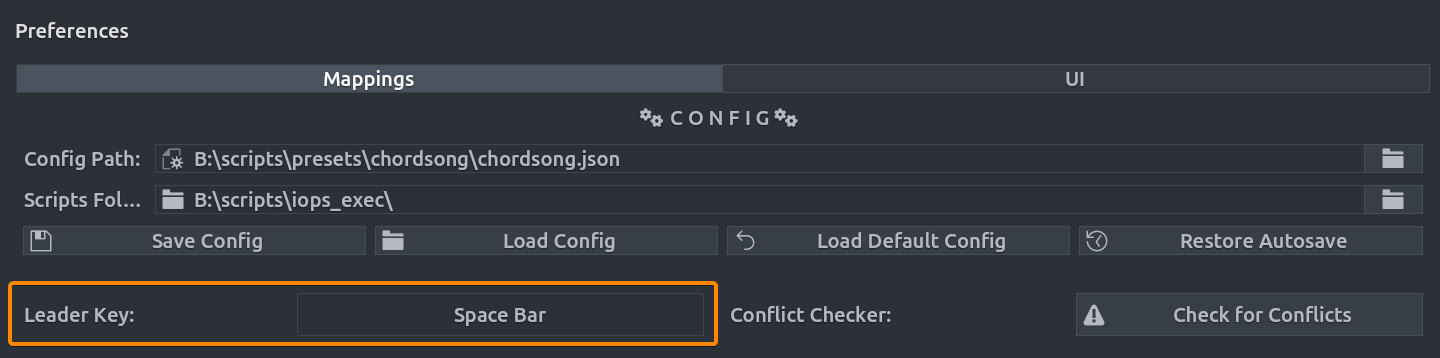
Leader Key
The Leader Key is the prefix that activates Chord Song's listening mode. Instead of using complex Ctrl+Alt combinations, you press a single prefix key (default: Space) to begin a chord sequence.
Key Interception
When a key is set as the Leader Key, you can no longer use it as the first chord. e.g., if you set Q you can no longer use it to start a chord like Q M. But it can still be used as second or third token in a chord e.g. M Q.
Conflict Prevention
If you use Space as your leader key, make sure to disable Blender's default mapping for Play/Search, or rebind the leader to a less critical key like /, Q, or F1.
Interaction Model
The leader key supports a three-state multi-tap system:
- Single Tap: Opens the overlay and starts listening for a chord (e.g.,
Space > M > C). - Double Tap: Opens the Recents list, showing your most frequently used actions.
- Triple Tap: Instantly repeats the Most Recent Action without opening any menus.
Navigating the Overlay
Once the overlay is active, you can use the following keys to manage your chord sequence:
| Key | Action |
|---|---|
| Backspace | Deletes the last token and goes back one level in the sequence. |
| Esc / Right-Click | Cancels the chord capture and closes the overlay. |
Setup & Configuration
You can customize the leader key in the add-on preferences
- Navigate to Edit > Preferences > Extensions > Chord Song.
- Locate the Leader Key property.
- Click the button to capture a new key (good choices:
Space,Q,/).