Import & Export
Configuration operations for chord mappings.

Quick Sharing
For sharing small chord snippets, use Copy & Paste instead. Import/Export is designed for complete configuration management.
Operations
- Save Config: Overwrites the current Config file with the current configuration.
- Export Config: Exports selected groups only (leader key excluded)
- Load Config: Imports configuration from the current Config Path.
- Append Config: Merges configuration (preserves existing, runs conflict checker)
- Load Default Config: Loads default configuration.
- Restore Autosave: Restores from
.autosave.json(see Autosave)
Save Config
- If config path set: Saves directly to that file
- Otherwise saves into the extension-specific user directory: chordsong.json
Export Config
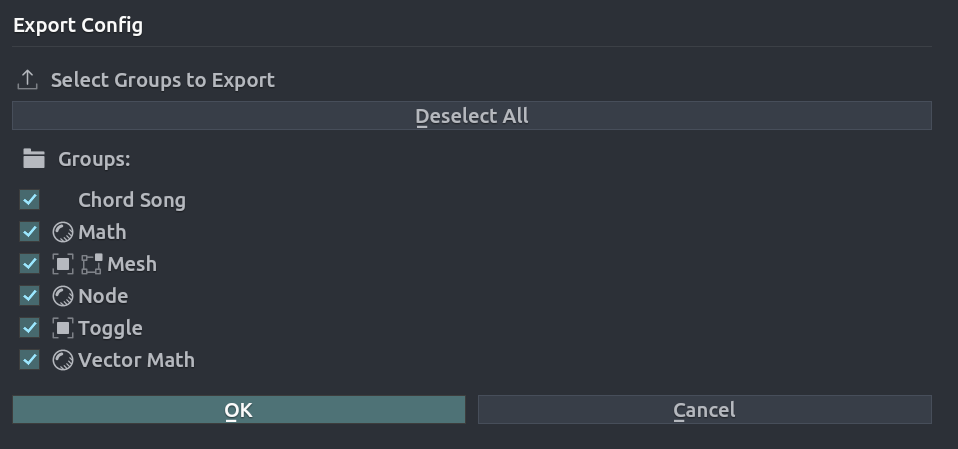
Exports selected group mappings.
Process:
- Validates JSON and config structure
- Suspends autosave
- Adds mappings (does not clear existing)
- Adds groups (only if name doesn't exist)
- Preserves settings (overlay, scripts folder, leader key)
- Runs conflict checker automatically
Validation: Checks JSON validity, config structure, version compatibility. Shows warnings but proceeds.
Conflicts: Duplicate chords and prefix conflicts detected automatically.
Configuration File Format
Location
Default: Extension-specific user directory (chordsong.json)
The default configuration file is stored in the extension's user directory, which persists between extension upgrades. This directory is managed by Blender and is specific to the Chord Song extension.
Custom Path: Set in preferences. When set:
- Save Config saves directly (no browser)
- Load Config loads directly (if file exists)
- Autosave creates
.autosave.jsonin same directory
Manual Editing
Configuration files can be edited directly.
Mapping structure example
"mappings": [
   {
      "enabled": true,
      "chord": "a 1",
      "label": "Cube",
      "icon": "",
      "group": "Mesh",
      "context": "VIEW_3D",
      "mapping_type": "OPERATOR",
      "operators": [
            {
               "operator": "mesh.primitive_cube_add",
               "call_context": "INVOKE_DEFAULT",
               "kwargs": {}
            }
      ]
   },