Script Mappings
Map chords to Python scripts.
Overview
Script mappings execute external or internal Python scripts, enabling custom workflows and macros.
Security Safeguard
⚠️ Script execution is disabled by default for security reasons. Before you can use script mappings, you must explicitly enable script execution in Preferences.
Enabling Script Execution
- Open Preferences → Add-ons → Chord Song
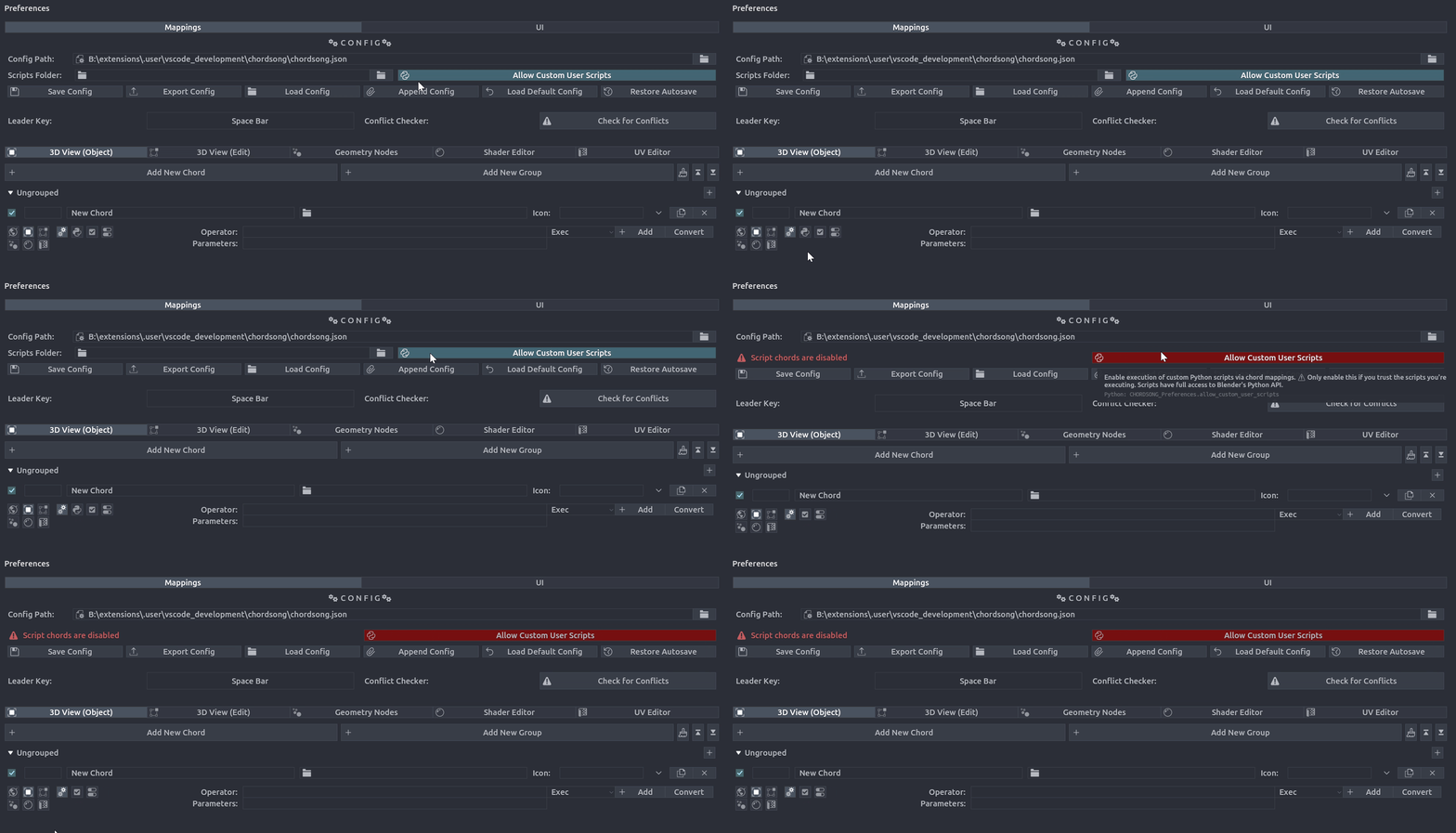
- In the Config section, check the "Allow Custom User Scripts" checkbox
- The Scripts Folder path will appear once enabled
What Happens When Disabled
When script execution is disabled:
- The Scripts Folder path is hidden
- The Script mapping type button is hidden from the mapping type selector
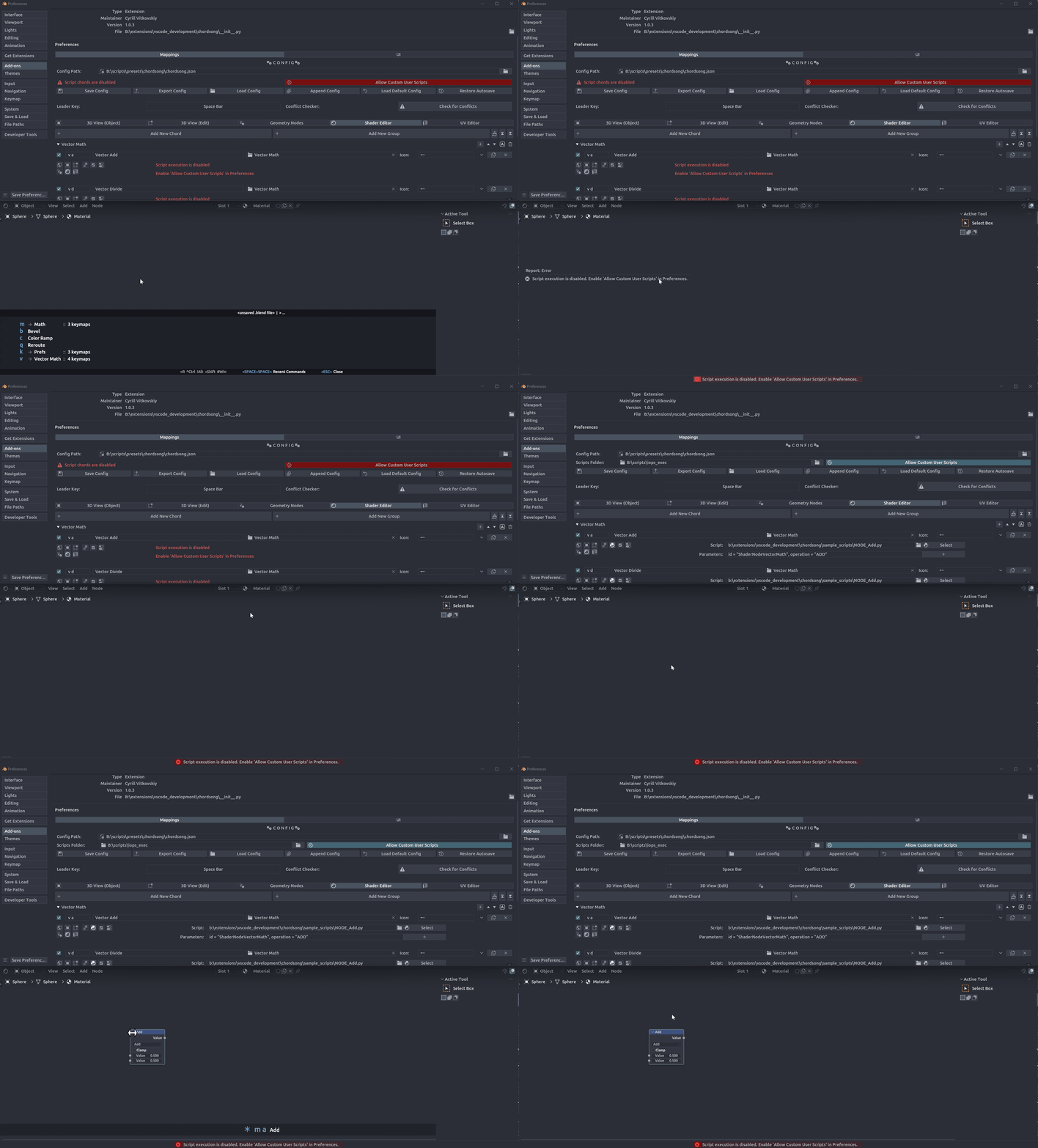
- Existing script mappings show a disabled message instead of their configuration fields
- Attempting to trigger a script chord will show an error message
Important
Only enable script execution if you trust the scripts you're executing.
Creating Script Mappings
See Adding Mappings for general methods. Script mappings are typically created manually in Preferences.
Scripts Folder
To streamline your workflow, you can define a Scripts Folder in the Customization section.
When configuring a Script Mapping:
- Click the folder icon next to the Python File path.
- A searchable popup will appear listing all
.pyfiles in your configured scripts folder. - Selecting a file will automatically update the mapping's path and label.
Script Arguments & Parameters
Chord Song allows you to pass custom data to your scripts using a dictionary named args. This is extremely powerful for creating versatile scripts that behave differently depending on the chord used.
Accessing args in Python
Inside your script, access the passed values using the global args dictionary:
import bpy

# Access parameters passed from Chord Song
node_id = args.get("id", "NodeReroute")
use_transform = args.get("use_transform", False)

print(f"Adding node: {node_id}")
Advanced Workflow
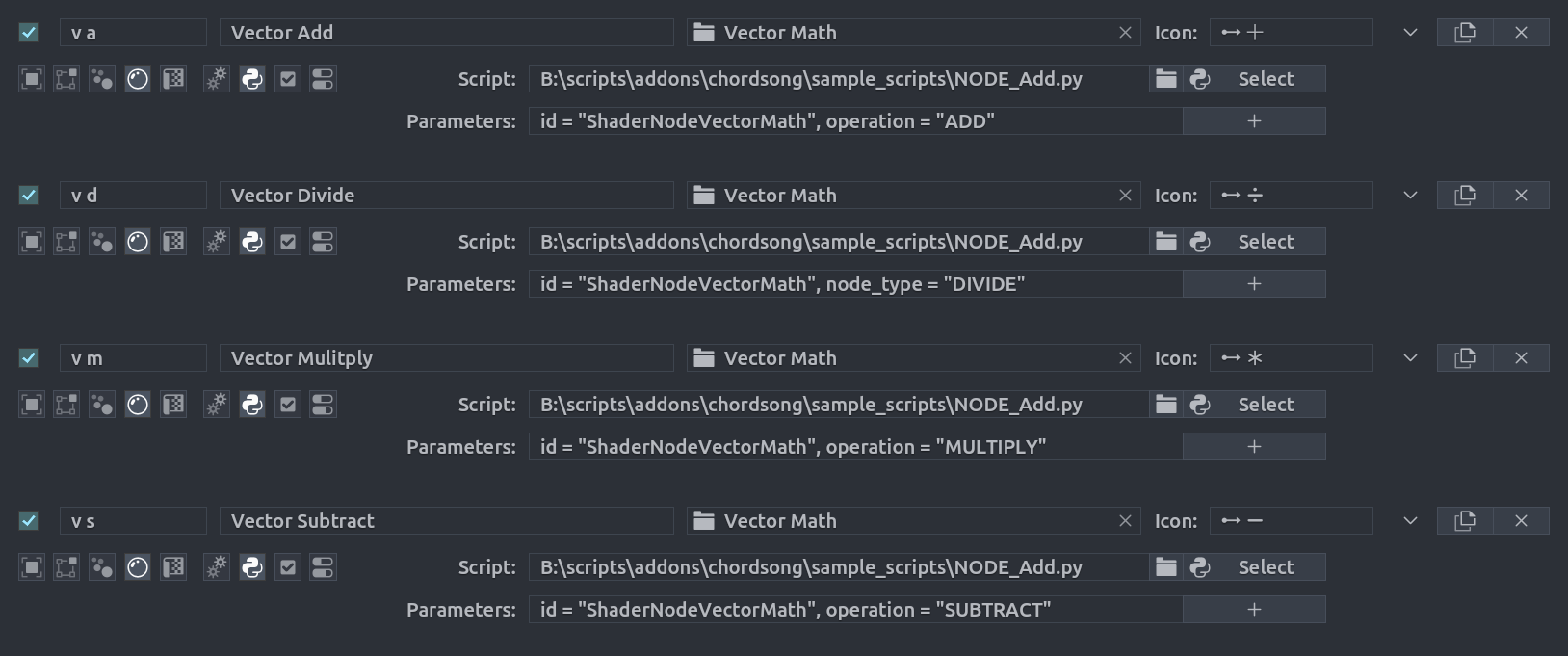
The included sample_scripts/NODE_Add.py demonstrates how to pass arguments to a script. It uses args to do so. So you can use it as a template for your own scripts with custom parameters.
You can use the mapping UI to add parameters to your script.
They can be comma separated or added as individual rows using + button.